
As a professional in photography and visual media, I have spent years refining editing workflows and rigorously testing a wide range of creative tools. Each evaluation is conducted with a precise, methodical approach to ensure accuracy and reliability. Handling complex RAW files and high-resolution images requires expertise, and I focus on solutions that combine professional control with ease of use.
This year, I tested multiple next-gen and online photo editors, including AI video generator tools, on a mid-range PC. After careful comparison, I identified the top tools that save time, enhance efficiency, and maintain creative freedom for both professionals and enthusiasts.
Directory — What are the best selected software/tools
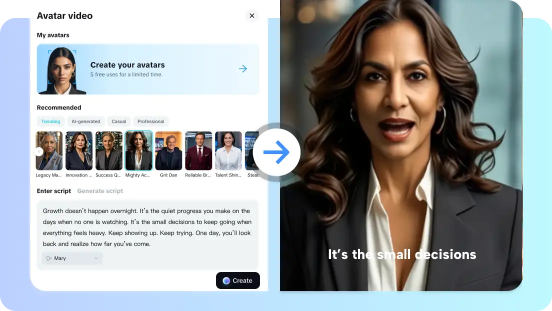
When I first tried CapCut, I thought it was just another video creation tool. But it quickly became one of the most efficient AI video generators I’ve used. Designed for creators of all levels, CapCut produces high-quality videos from text prompts without complexity.
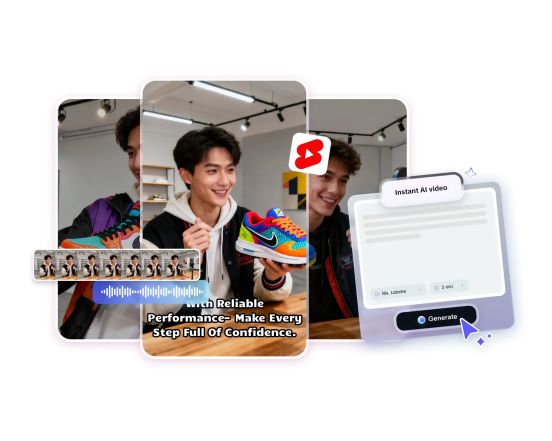
What sets it apart is its AI avatar feature. You can choose from over a hundred avatars or clone your own by uploading a short clip. Templates make structuring content for news, ads, or educational videos effortless. Instant AI Video handles images, cuts, and timing in one go.
CapCut also suggests topics and storyboards, making brainstorming easier. Its media library supports social formats and long-form content alike. Marketing teams can create ad variants quickly, while educators can produce lecture clips in large quantities. The free version even allows unlimited downloads for multiple templates.
CapCut Feature Highlights
Advantages
Disadvantage
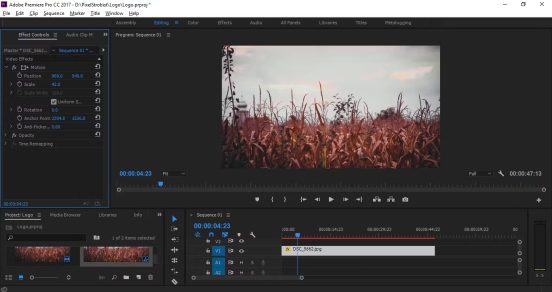
Generative AI has been integrated into most workflows in Adobe Premiere Pro. The tools are helpful with masking objects, automatic captions, and clip extensions. Generative Extend allows editors to extend clips and fill gaps. Search with AI is powered by natural language. Adobe Firefly and Creative Cloud integration enhance continuity in the creative process.
Advantages
Disadvantages
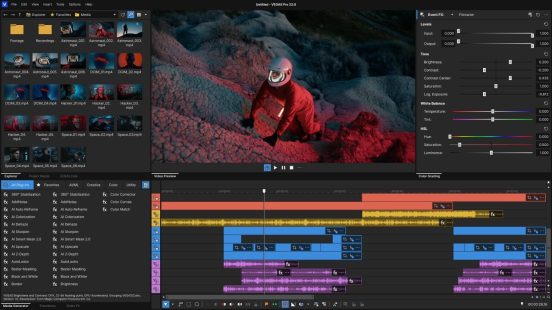
VEGAS Pro is specialized in rapid timeline editing using AI. Edits that are text-based, AI image optimization, and VFX accelerate workflows. Effects and restoration deep learning models are incorporated in the suite. It addresses Windows developers who require high quality and fast outputs.
Advantages
Disadvantages
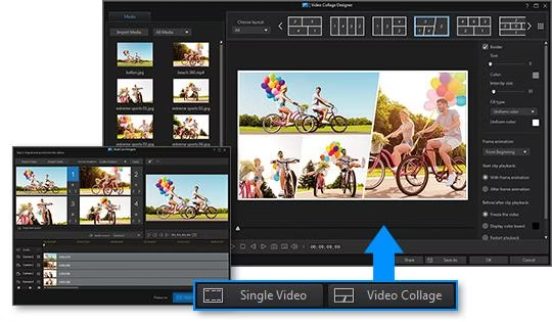
PowerDirector combines easy-to-use editing and easy-to-use AI. Audio cleanup is made easy through automatic speech enhancement and noise removal. Scene detection and text-to-speech speed editing of social videos. Guided workflow and templates can assist users to achieve polished outputs in a short time.
Advantages
Disadvantages
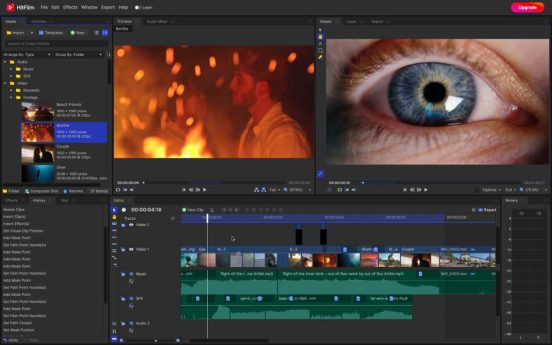
HitFilm pro is a mix of non-linear editing and robust VFX. It provides motion graphics, 3D compositing, and camera tracking. The software is appropriate to creators who require integrated VFX without the need to change software. Constant updates enhance the stability of the tools and compatibility with the plugins.
Advantages
Disadvantages
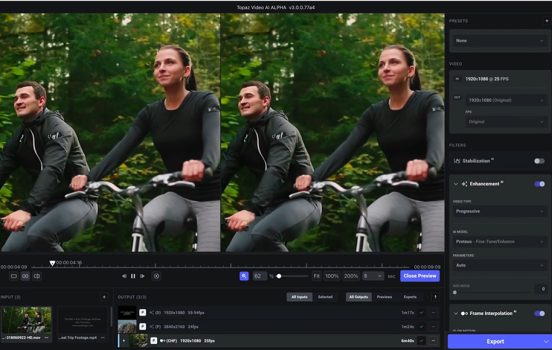
Topaz Video AI focuses on AI restoration and enhancement. It reconstructs low-resolution images to 4K frame-by-frame. Denoise, motion interpolation and stabilize enhances archival footage. It is a post-processing powerhouse to quality restoration.
Advantages
Disadvantages
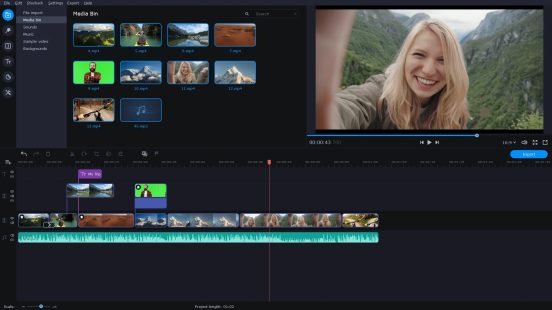
Movavi aims at quick edits using AI assistance. Large editing time is saved by automatic captioning and speech-to-text. Directed features enable beginners to create refined works in a short time. It is suitable to creators who do not require full professional toolsets.
Advantages
Disadvantages
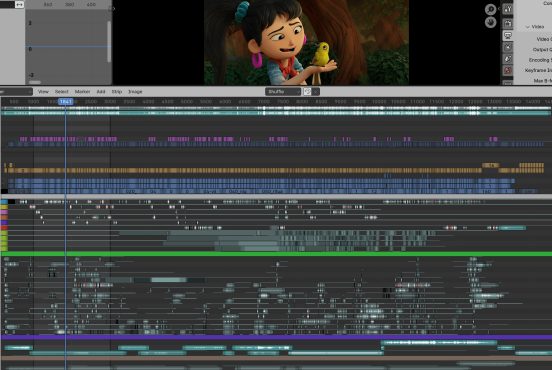
The Video Sequence Editor of Blender provides non-linear editing to Blender. New editions enhanced timeline, animation, and playback. It is open-source and permits experimental AI plugs and community tools. It suits designers who desire substantial control without licensing fees.
Advantages
Disadvantages
Top AI Video Generator Editing Software Compared Side by Side
|
Software |
Best for |
Core standout features |
Pricing |
|
CapCut |
Fast AI social videos, AI avatar, YouTube Shorts maker |
Instant AI Video, 100+ avatars, workflow templates, brainstorming tool. |
Standard (Free) Paid: Starts at $19.99/month (Pro)
|
|
Adobe Premiere Pro |
Professional timelines with generative AI |
Generative Extend, Object Mask, AI Search, Firefly integration. |
US$22.99/mo Annual, billed monthly |
|
VEGAS Pro |
Fast timeline edits with AI effects |
AI VFX, text-based editing, image optimization. |
€ 149.99 One-time payment |
|
CyberLink PowerDirector |
AI-assisted Windows editing |
Speech enhancement, noise removal, text-to-speech, templates. |
$59.99/year ($5.00 /month) |
|
HitFilm Pro |
VFX-heavy productions |
3D compositing, camera tracking, motion graphics. |
$16.60/month |
|
Topaz Video AI |
Upscaling and restoration |
Frame-by-frame upscaling, denoise, interpolation. |
Topaz (Standard)~$33/mo Topaz (Pro)~$67/mo |
|
Movavi Video Editor Plus |
Quick guided edits |
Auto captions, speech-to-text, silence removal. |
$19.95/month |
|
Blender VSE
|
Free, customizable workflows |
Integrated 3D and VSE, plugin-friendly, open-source. |
€11.50/month (for individual users) |
Each person selects tools based on the needs of their own, but CapCut receives the most significant recommendation in this regard. CapCut blends speed, practical AI video generator functionality, and accessible templates. CapCut may save on time and money to social creators and quick advertisements. Other software would be more compatible with pro workflows, VFX, or restoration requirements. Before committing to certain projects, test the two best alternatives. CapCut is still the best choice in short-format and avatar-based content.
Q1: Can CapCut replace Premiere Pro for professional projects?
CapCut handles short, social, and templated content excellently. Premiere Pro still wins for large-scale, collaborative, or color-critical productions. Consider CapCut for fast outputs and Premiere for studio-grade work.
Q2: Are the AI avatars in CapCut usable for commercial content?
CapCut provides avatars and cloning features for commercial use. Check the latest terms of service for licensing and content rights.
Q3: Which software is best for upscaling old footage?
Topaz Video AI focuses on upscaling and restoration with excellent results. Use Topaz for archival footage, then edit in a full NLE.
Q4: Is CapCut suitable as a YouTube Shorts maker for creators?
CapCut offers fast templates and one-click exports for Shorts. It simplifies vertical editing and pacing for short-form videos.
Join Our WhatsApp Channel To Receive Updates
Join Our Facebook Channel To Receive Updates
Click Here to Join Our Telegram Channel To Receive Updates